5gbd App — Play Crash, Slots & Live Casino on Your Phone
The 5gbd app brings the full casino lobby straight to your Android phone. Scan the QR below or tap the button to get the APK — no Google Play needed, no sign-up wall before you download.
Android 6.0+ · v3.1.11 · 52 MB · Free
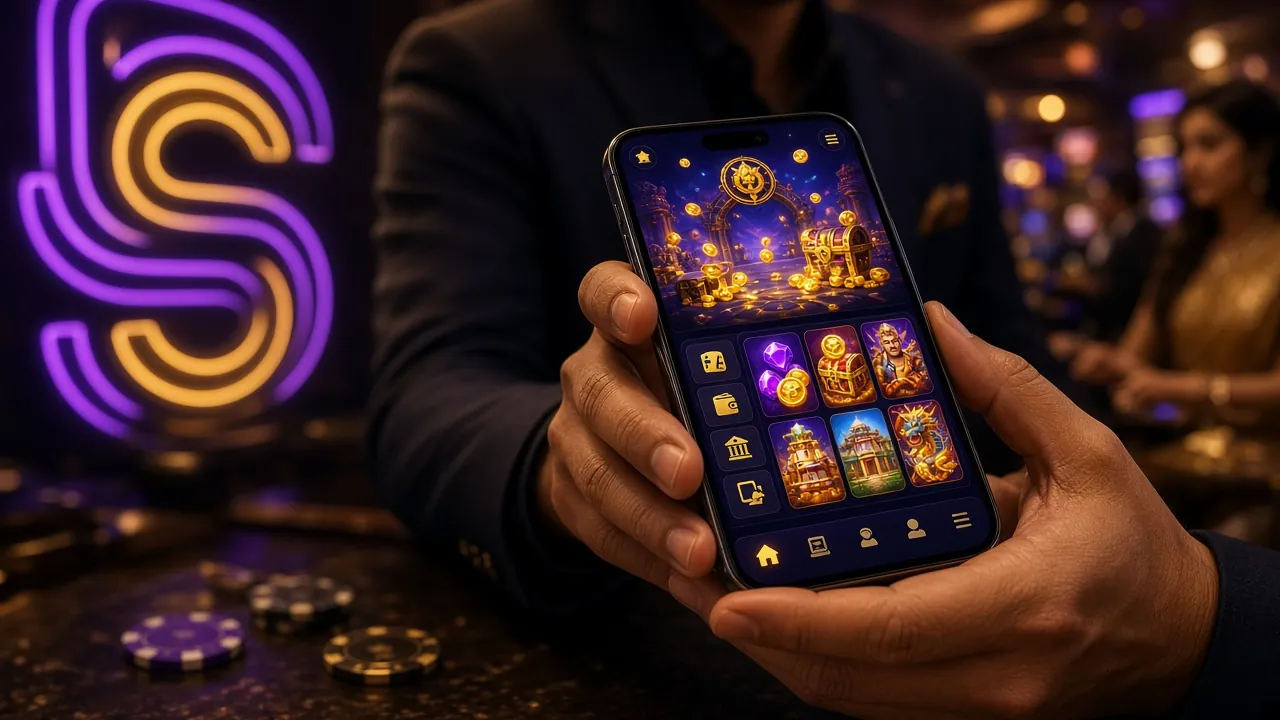
What the 5gbd App Gives You
Six reasons players in Bangladesh prefer the app over the browser — built for slow connections and small screens.
Fast Loading on Mobile Data
The 5gbd app is optimised for Bangladesh's 4G networks. Games load in seconds even on a mid-range Walton or Symphony device. The APK caches game assets locally so you don't re-download them every session, saving data and time.
Push Alerts for Bonuses & Odds
Allow notifications and the app will ping you when a new cricket match is added, your 1.8% daily cashback is ready to claim, or a reload bonus goes live. You won't need to check the site manually — the app does it for you.
bKash & Nagad Deposits in One Tap
The app's payment screen is designed for Bangladeshi users. Tap Deposit, pick bKash or Nagad, enter your amount (minimum ৳150), and confirm. The whole flow takes under a minute, and funds arrive within about 6 minutes on average.
Fingerprint & PIN Login
Log in with your fingerprint on supported phones instead of typing your password every time. This saves time and keeps your account safe if someone else picks up your phone. You can still use your password as a fallback.
All 1,700 Games Available
Every game in the browser lobby — slots from JILI and Evolution, live tables from FA Chai, crash games, fishing, and more — is playable inside the app. Your favourites list syncs automatically between the app and browser.
Auto-Update Without Re-downloading
When a new version releases, the app checks for updates at launch and applies patches in the background. You only need to re-download the full APK for major releases. Minor fixes install silently without interrupting your session.
Version Details & What Does Your Phone Need?
Check these numbers before you download — they take 10 seconds and prevent most installation errors.
App Details
| App Name | 5gbd |
| Current Version | 3.1.11 |
| File Name | 5gbd.apk |
| File Size | 52 MB |
| Minimum Android | Android 6.0 (Marshmallow) |
| Last Updated | 5 November 2026 |
| Price | Free |
| Language | English / Bangla |
| iOS Support | Web App (Add to Home Screen) |
Minimum Phone Requirements
- OS: Android 6.0 or higher
- RAM: 2 GB or more recommended
- Storage: 80 MB free (app + cache)
- Internet: 4G / Wi-Fi; works on 3G with longer load times
- Permissions needed: Internet, Storage (for APK install only)
Is the 5gbd APK Safe to Install?
Valid concern — here is exactly what the app does and does not access on your phone.
SSL Encryption on Every Request
All data between the app and 5gbd servers travels over TLS 1.3. Your account password, bKash transaction PIN, and personal details are never sent in plain text. The app enforces certificate pinning so it only talks to genuine 5gbd servers, blocking man-in-the-middle attempts on public Wi-Fi.
No Access to Your Contacts or Camera
The 5gbd app only requests two permissions: Internet (to load games and process payments) and Storage (only during the APK install step, not afterwards). It does not read your contacts, camera, microphone, location, or SMS. If a version requests anything else, do not install it — download only from 5gbd.live.
Biometric Data Stays on Your Phone
When you enable fingerprint login, the app uses Android's built-in BiometricPrompt API. Your fingerprint data is stored in your phone's secure enclave — it never leaves the device and 5gbd servers never receive it. Disabling biometrics in phone settings immediately removes access.
Download Only From This Page
Fake APKs circulate in Telegram groups and third-party stores. Always download 5gbd.apk from the button on this page or by scanning the QR code above. Each official release is code-signed — Android will block installation if the signature does not match, giving you a clear error message.
How to Install the 5gbd APK — Android
Follow these five steps in order. The whole process takes under four minutes on most phones.
-
Allow Installation from Unknown Sources
Open Settings → Security (or Settings → Apps → Special App Access → Install Unknown Apps on Android 8+). Find your browser or file manager and toggle on "Allow from this source." This one-time step tells Android it's okay to install APKs outside Google Play. You can turn it off again after the 5gbd app is installed.
-
Download 5gbd.apk to Your Phone
Tap the Download APK Free button on this page. Your browser will save
5gbd.apk(52 MB) to your Downloads folder. On a 4G connection this takes about 15–30 seconds. If you are on Wi-Fi it will be faster. Do not close the browser tab until the download completes. -
Open the APK File
Pull down your notification bar and tap the completed download notification, or open your phone's Files / My Files app, go to Downloads, and tap
5gbd.apk. Android will show an installation screen listing the app name and permissions. Check that only Internet and Storage are shown, then tap Install. -
Wait for Installation to Complete
The installation takes 10–20 seconds. When you see "App installed," tap Done (not Open yet). Go back to Settings and turn off "Install Unknown Apps" for your browser — this reduces your phone's exposure to other APKs you might accidentally tap on. The 5gbd app is already on your phone and does not need that permission to run.
-
Log In or Create Your 5gbd Account
Find the 5gbd icon in your app drawer and tap it. If you already have an account, tap Log In and enter your credentials — visit 5gbd Login for help. New players tap Register to open an account in under two minutes; see the 5gbd Register page for a full walkthrough. After logging in, your casino balance and favourites sync automatically.
iPhone / iOS — Add 5gbd to Your Home Screen
Apple does not allow APK files. iOS users access 5gbd through Safari as a Progressive Web App — it looks and works like a native app once pinned to your home screen.
- Open https://5gbd.live in Safari (not Chrome or Firefox — only Safari supports Add to Home Screen on iOS).
- Tap the Share button (the box with an upward arrow) at the bottom of the Safari toolbar.
- Scroll down the share sheet and tap Add to Home Screen. Edit the name to "5gbd" if you want, then tap Add.
- The 5gbd icon appears on your home screen. Tap it to open the site in a full-screen view without the Safari address bar.
- Log in with your existing account or register a new account. All games, deposits, and withdrawals work exactly as they do in the browser.
Why Use the 5gbd App Instead of the Browser?
-
Loads 40% faster than a browser tab Cached assets mean the lobby opens in under 2 seconds on 4G.
-
Bonus alerts you won't miss Push notifications for reload bonuses, cashback, and match odds.
-
One-tap bKash & Nagad payments Deposit from ৳150 — funds arrive in about 6 minutes.
-
Dark mode & battery saver built in Easier on the eyes for late-night cricket match sessions.
v3.1.11 · 52 MB · Android 6.0+ · Free
App vs. Browser — Which One Suits You?
Both give you full access to the casino, but they differ in a few practical ways.
| Feature | 5gbd App (APK) | Browser (Mobile) | Browser (Desktop) |
|---|---|---|---|
| All 1,700 games | |||
| Push notifications | |||
| Fingerprint / biometric login | |||
| Offline game cache | |||
| bKash / Nagad deposit | |||
| Deposit arrival time | ~6 minutes | ~6 minutes | ~6 minutes |
| Live Casino / Evolution tables | |||
| Dark mode | |||
| No browser address bar | |||
| Works on iOS | Via Home Screen shortcut | ||
| Free to install |
Withdrawal is available on all platforms. Minimum withdrawal is ৳800; average processing time is 38 minutes. See the 5gbd Withdrawal & KYC Guide for full details.
Games Waiting for You Inside the App
From JILI crash to Evolution live tables — the full 5gbd casino is in your pocket.

Monster Crash
KA Gaming · Crash · RTP 97.4%

Bingo Fishing
JILI · Fishing · RTP 96.7%
+ 1,700 More Games
Slots, Live Casino, Sports, Lottery — full lobby in the app
Explore the full game list on the 5gbd Casino page.
APK Won't Install? Fix It in One Step
Most installation errors have a single, quick cause. Find your error message below.
| Problem | Likely Cause | Fix |
|---|---|---|
| "Install blocked" or "not allowed" | Unknown sources permission is off for the browser or file manager you used to open the APK. | Go to Settings → Security → Install Unknown Apps, find your browser (e.g. Chrome), and enable "Allow from this source." Then tap the APK file again. This setting can be turned off again once the app is installed. |
| "App not installed" error after tapping Install | An older version of the 5gbd app is already on the phone, and the new APK's signature does not match the cached package data — usually from a fake or corrupted file. | Go to Settings → Apps → 5gbd → Uninstall, then re-download the APK directly from this page and install again. Never sideload from Telegram groups or unofficial sites. |
| Download stops at 0% or never completes | Weak mobile signal or the browser blocked the download because it detected a file type it considered unusual (APK). | Switch to Wi-Fi if possible. In Chrome, tap the three-dot menu → Downloads → restart the download. If Chrome blocks it, try downloading in Samsung Internet or Firefox, which handle APK files more smoothly. |
| "Not enough storage" message | The phone has less than 80 MB free. The APK itself is 52 MB and the installed app needs about 25 MB of cache space on first run. | Free up space by deleting unused apps or old photos. Check storage at Settings → Storage. After clearing space, tap the APK again — you do not need to re-download it if it is already in your Downloads folder. |
| App crashes immediately after opening | Android version below 6.0, or the phone's RAM dropped below the minimum during install (too many background apps running). | Check your Android version at Settings → About Phone → Software Information. If it is 6.0 or above, close all background apps, restart the phone, and open 5gbd again. If it is below 6.0, use the browser version at 5gbd.live instead. |
Still stuck? Contact 5gbd's 24/7 live chat directly from inside the app, or email [email protected]. Include your Android version and the exact error message.
Questions About the 5gbd App
Answers to what players ask most before and after downloading.
1 Is the 5gbd APK safe — why isn't it on Google Play?
The 5gbd app is safe to install. Real-money gaming apps for markets like Bangladesh are not permitted on the Google Play Store under Google's current policies, so the APK is distributed directly from this page. Each release is code-signed: Android verifies the signature before installing, so a modified or tampered file will be rejected automatically. Download only from 5gbd.live and you get the genuine, unmodified app.
2 Do I need to create an account before downloading the app?
No. You can download and install the 5gbd APK without having an account. You only need to log in or register once you open the app. If you do not have an account yet, the registration form is available directly inside the app — it takes about two minutes. Alternatively, sign up first at the 5gbd Register page and your credentials will work straight away when you open the app.
3 How do I update the 5gbd app to the latest version?
The app checks for updates at launch. If a minor patch is available, it downloads in the background without interrupting your session. For major releases (a new version number like v3.2.x), the app will show an update banner asking you to download the new APK from 5gbd.live. Tap the banner, re-download, and install over the existing version — your account data, balance, and favourites are all stored server-side, so nothing is lost during the update.
4 Can I deposit and withdraw using bKash inside the app?
Yes. The app supports all five payment methods available on the site: bKash, Nagad, Rocket, Upay, and Bank Transfer. The minimum deposit is ৳150 and funds typically arrive within 6 minutes. Withdrawals require a minimum of ৳800 and are processed in about 38 minutes on average. First-time withdrawals also require KYC verification — full details are on the 5gbd Withdrawal & KYC Guide.
5 Will the app work on my older Walton or Symphony phone?
If your phone runs Android 6.0 or higher and has at least 2 GB of RAM, the 5gbd app should run without issues. Many popular Walton Primo and Symphony Z-series phones meet this requirement. If you are unsure of your Android version, go to Settings → About Phone → Software Information. Phones below Android 6.0 cannot install the APK — use 5gbd.live in your mobile browser instead, which works on Android 5.x as well.
6 Does the app save mobile data compared to the browser?
Yes, noticeably. The app caches game thumbnails, lobby assets, and interface elements locally after the first load. On repeat visits, it only fetches live data (odds, balances, game state) rather than re-downloading everything. This reduces data usage per session compared to a fresh browser load. For crash games and live casino streams, data usage is similar to the browser because the video feed is always real-time.
7 Is the welcome bonus available when I register through the app?
Yes — the first deposit bonus applies regardless of whether you register through the app, the browser, or the mobile site. The current welcome offer is a 105% bonus on your first deposit, up to ৳7,500. The wagering requirement is 11×. As long as you create a new account and make a qualifying deposit of at least ৳150, the bonus is credited automatically. Full terms are on the 5gbd Register page.